Setup · Prop Firm Reference
Prop Firm Rules & Pre-Flight Checklist
A quick visual comparison across every prop firm Christopher trades or tracks, plus a daily pre-flight checklist before the market opens. Figures shown are the 50K-tier headline numbers — always verify current rules against the full reference docs linked at the bottom, since prop firm rules change frequently.
Run through before the open — especially on multi-account days
- Confirm which account(s) are active today and their exact close deadlineApex ~16:59 ET · TPT 16:55 ET auto-close · LegendsTrading 16:55 ET (MOC Liquidation, same as TPT) · TopOneFutures 16:10 ET · Lucid 16:45 ET
- SL placed and never moved — Pattern 7 discipline checkSee pattern_tracker.md for the full pattern history
- No opposing/hedged positions across accountsApex, TPT, and TopOneFutures all treat cross-account hedging as an instant, all-accounts-involved violation
- Daily Loss Limit checked, if the account has oneApex EOD/PA, Tradeify, some Lucid configs — TPT and Apex Intraday have none
- Consistency rule tracked if trading toward a payoutTPT/Lucid eval 50% · Tradeify 35% · TopOneFutures funded 40%
- Check today's calendar for FOMC / CPI / NFP before the openTPT blackout ±1 min · TopOneFutures blackout only if a position is modified ±2 min · Apex/Lucid Flex/Pro/Direct allow it · LucidDaily hard-forbids red-folder news
- Cancel all resting/projected orders before stepping awayPattern 9 — unintentional fills from stale limit orders
- Personal hard-exit time set before the firm's deadline becomes the exit mechanismPattern 8 — never let the prop firm's forced close be the trade management plan
- Minimum activity covered on every open accountFirm-specific, not a rule of thumb — see the Minimum Trading Activity table below for exact requirements/timeframes/penalties per firm
Rules diverge sharply by firm — some fully permit news trading, others carry a hard 1-2 minute blackout window. Know which account is live before a red-folder release
TakeProfitTrader PRO / PRO+
Forbidden 1 minute before, during, and 1 minute after FOMC / CPI / NFP
TopOneFutures
Forbidden only if a position is modified 2 minutes before/during/after — holding through untouched is fine
Apex Trader Funding
- News-event trading is allowed as part of a normal strategy
- Prohibited: pure gambling, "chasing the market," or opposing bracket orders placed to luck into a news breakout
- No hedging — simultaneous long+short on the same/correlated instrument is a standing hard rule, separate from news
Lucid Trading
- LucidFlex / Pro / Direct: news trading fully allowed — enter/exit freely around major releases, no penalty
- LucidDaily: trading red-folder (high-impact) news is a hard breach, not allowed on this variant
- Market risk (slippage/unexpected execution) still applies during news on both platforms regardless of the rule
LegendsTrading
Tier-1 news trading prohibited — accounts may not trade 2 minutes before and 2 minutes after Tier-1 news releases placeholder, pending full legends-rules.md ingestion
Xato
Permitted, subject to normal data/liquidity availability — no explicit news-blackout window like TPT's or TopOne's. Standard equity/prohibited-practice rules still apply; expect wider spreads/slippage/funding swings around news
BTCC (personal account, not an evaluation)
No firm-imposed blackout at all — BTCC isn't a funded-evaluation firm with a rulebook to breach, it's a personal crypto exchange account. Worth keeping in this table anyway, for contrast: the news-blackout windows above are all TOS enforcement specific to prop-firm evaluations, not something inherent to trading through news generally. Normal market risk (volatility/slippage) still applies
Every firm sets an automatic cutoff to protect both the firm and the trader — a safety net, not a trap. Enforcement style differs though: some auto-flatten cleanly, others carry the possibility of account failure if the close coincides with a slippage/gap event. Confirm which bucket today's account is in before assuming the same habit transfers across accounts
| Firm | Close Deadline | Enforcement |
|---|---|---|
| Apex (all paths) | ~16:59 ET | Auto-flatten |
| TakeProfitTrader | 16:55 ET auto-close | Auto-closed (soft) |
| TopOneFutures | 16:10 ET | Force-closed daily |
| Lucid | 16:45 ET | Auto-flatten (soft) |
| LegendsTrading | 15:55 CT (16:55 ET) | MOC Liquidation |
| Tradeify | Not specified — verify live | — |
| Xato | None — may hold over weekend | ~24/7 (crypto) |
| BTCC (personal, not an eval) | None — no firm-imposed close | No cutoff |
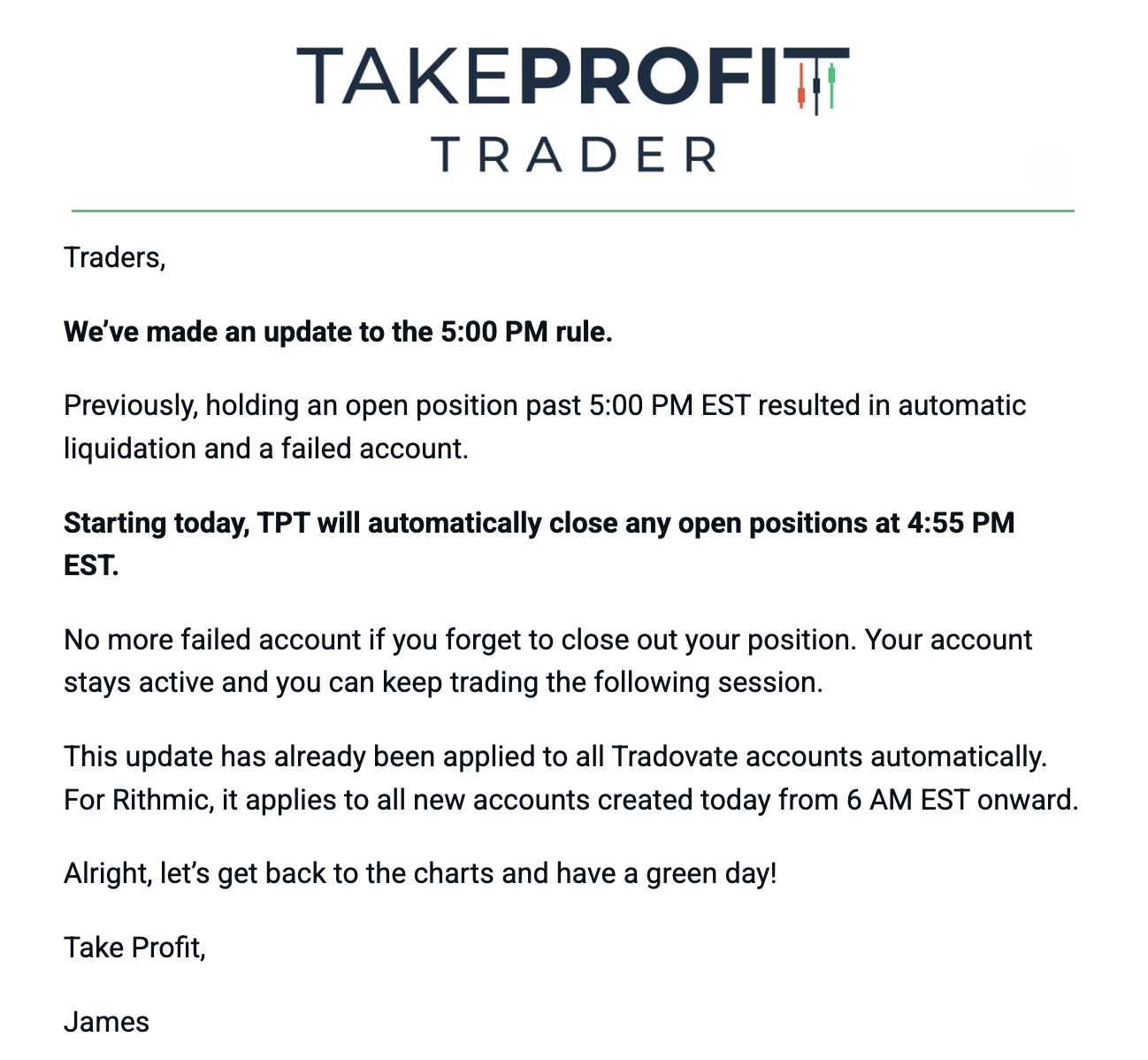
TakeProfitTrader updated this policy — previously, holding a position past 17:00 ET was an instant liquidation + failed account; now TPT auto-closes any open position at 16:55 ET and the account simply stays active for the next session. See TPT's rule-update notice ↗
Distinct from the daily close deadlines above — this is about staying active enough over time, not closing out fast enough on any given day. Firm-sourced, not a rule of thumb
| Firm | Activity Requirement | Timeframe | Penalty |
|---|---|---|---|
| Lucid Trading | $1+ net P/L on a trade | Every 30 days | Permanent deletion |
| LegendsTrading | ~Lucid's structure unconfirmed | Every 30 days | Account closure |
| TakeProfitTrader | 1 round-trip trade | Every week (Sun–Fri) | Closure (exceptions possible) |
| Apex Trader Funding | 2 days, $50+ profit each | Rolling 30-day window | Permanent closure |
| TopOneFutures | 1 trade placed | Every 30 days (14d futures wing) | Hard breach |
Crucial details, not obvious from the table alone:
- Apex is the strictest. A single micro-lot trade opened and instantly closed doesn't reset the clock — $50 in net profit has to actually land, across two different days within any rolling 30-day window, or the account closes permanently.
- Lucid's $1 rule is literal. A $0 scratch trade (open and close at the same price) doesn't count as activity — the trade has to clear at least +$1 or -$1 to register.
- TopOneFutures' clock starts at purchase, not first trade. The 30-day (14-day for the futures wing) countdown begins the moment the account is bought — sitting on a sale-priced account for a month without placing a single trade breaches it before trading even begins.
stocks, commodities, crypto
The short version across every firm on file: copying your own trade decision from one of your own accounts to another is generally fine; mirroring someone else's signals/calls is not. This section goes into the actual operating detail — the full origin story and compliance research live on the dedicated Copy-Trading Plan ↗ page; this is the checklist-ready version for quick reference before trading
TopOneFutures explicitly allows copy trading between your own accounts across firms, as long as the trade decision originates on the TOF account itself — mirroring someone else's signals (Discord/Telegram calls, group trading) is prohibited. See TOF's Copy Trading Policy ↗ and the fuller prohibited-practices list in topone-rules.md ↗
The Full Copy-Trading Plan ↗Why the two TradeCopia groups are shaped the way they are — the reasoning behind each group choice, condensed for quick reference
Group A — LucidFlex25 leads TPT and LegendsTrading (both 2x). Led from the smaller Lucid account specifically because scaling a small leader size up by a whole-number multiplier always lands on a valid contract count; leading from TPT and scaling down to Lucid's size risked a sub-1-contract, invalid position. In-app group name: "NoNews:TPT&LGNDMaxFund | LFlex=NewsAllowed; Lucid/LGND=NoMBT".
Group B — TOF197288 leads TOF197292, Apex-11, Apex-12, TOF218430, and TOF218431 (all 1x). Every follower is 50K, matching the leader exactly. In-app group name: "TopOneAccessElite*MustLead & ONLYsameTypeTop1Acct can follow".
What the shorthand doesn't fully spell out — must still be honored: TopOneFutures' actual rule (per TOF's own Copy Trading Policy, confirmed by TOF's own AI assistant) is that cross-firm copying is only permitted between accounts of the identical size — the group name above says "same-Top1Acct" / "sameType," which reads more loosely than the real rule. Read it as same size, always, not just "similar" or "same category." A TOF leader can never be paired with a mismatched-size follower, even temporarily, even manually — that's the one rule the compressed name has to be trusted to mean precisely, not casually.
Trading a follower independently, when the plan is to trade through news or otherwise diverge from the leader on purpose: two ways this actually gets done. (1) Toggle that follower's replication to "Off" within the group — TradeCopia's own UI confirms it with a "Manually disabled by user" tooltip, and the account keeps its group membership but stops mirroring until switched back on. (2) The safer version: pull the account out of the group entirely rather than leaving it in and just muting replication — this has been the preferred approach for TPT and LegendsTrading specifically when trading Lucid through news that TPT/Legends themselves can't take. Either way, the Position reconciler will otherwise force-exit any position that doesn't match the leader — see tradecopia-risk-toggle-deep-dive.md ↗ for the full worked examples.
TradeCopia's own live in-app acknowledgment, required before copy-trading — the five rules actually being operated under, not a paraphrase
- No flipping. Prevent hedging caps a follower's order quantity at its existing position size — orders never flip a follower into a reversed direction.
- Do your due diligence. Review the Orders view after every leader execution and confirm followers reflect the leader's intent.
- Flatten whenever you can to start from a clean state. Stale positions or working orders carried across sessions make anomalies harder to spot.
- No multi-bracket per order. Each ATM order must have a single TP and a single SL — you can stack multiple single-bracket ATM orders instead.
- Be aware of broker API rate limits. Rapid-fire entries, dense fans of working orders, or heavy reporting requests can throttle or temporarily block an account.
The fallback reference for anything a compressed Copia group name can't fit — what's tradeable where, beyond the group-name fail-safes above
| Instrument | Not Permitted | Permitted |
|---|---|---|
| MBT / MBT1 (Micro Bitcoin futures) | Lucid, LegendsTrading | TPT, Apex, TopOneFutures |
Only one row so far — add more as new product restrictions surface. This exists specifically because a group's compressed in-app name has limited character space; when a restriction doesn't fit there, it lives here instead, not nowhere.
25K is the incoming Lucid free-account size (from the PFM duck-race win); Apex and TPT scale contracts/targets/fees at 100K on top of the 50K headline numbers below. 50K is the comparison/starting point used throughout this page. Full tier detail is filterable by size in the comparison table below
Apex has three paths on file (Legacy, New EOD, New Intraday) since Christopher's original accounts predate the new rules. Lucid figures shown are the 50K LucidFlex tier for apples-to-apples comparison — the account actually held is LucidFlex25 (25K)
Cost-of-staying-in numbers, for the accounts Christopher actually runs
TakeProfitTrader: a reset costs $649, capped at 3 resets total. Pricier than starting a fresh instant-funded account elsewhere once you're past reset #1-2 — but Christopher values staying with TPT despite the account-count ceiling, so a reset is still the default move over starting over cold.
Apex Legacy renewal nuance: renewing a Legacy account rolls existing profits into the next 30-day cycle rather than zeroing them out. New Apex products (EOD/Intraday) don't carry this — missing the 30-day profit target on those simply fails the account, no renewal-with-profits-intact option
As of Sep 2026, BTCC and crypto.com perpetuals/spot are tradable directly from TradingView, and Coinbase's live balance is visible too — but each exchange's TradingView execution panel exposes different settings than the others, and different from Tradovate's TradFi-futures panel. Notes from live testing (1x and 5x leverage, both directions) so the differences don't have to be re-discovered each time
| Setting | BTCC | Crypto.com | Coinbase | Tradovate (TradFi Futures) |
|---|---|---|---|---|
| Margin type shown | Not exposed in TradingView's panel — isolated margin is newly available natively on BTCC (didn't exist when Christopher first started there), but TradingView doesn't surface the cross/isolated toggle for BTCC specifically | Cross / Isolated / None — shown directly | No leverage/margin concept shown at all | N/A — futures margin works differently (per-contract, not a leverage slider) |
| Position sizing method | Slider with 4 modes — see breakdown below. Cannot change leverage while already in a trade | Direct quantity entry (like BTCC's own native app) | Direct quantity entry | Direct contract-count entry |
| Order types | Market, Limit, Stop | Market, Limit, Stop, Stop-Limit | Market, Limit, Stop | Market, Limit, Stop |
| Post-only | Not available | Available | Available | — |
| Time-in-force | Good Til Cancel only option — dropdown greyed out | Good Til Cancelled (default), Immediate or Cancel, Fill or Kill | Good Till Cancelled (default), Good Till Time, Immediate or Cancel | — |
| TP/SL bracket display | Shows the actual $ P&L the bracket represents | Not yet compared | Not yet compared | Only shows "buy/sell limit" — no computed P&L preview on the bracket itself |
One more BTCC quirk worth remembering: TP/SL orders placed manually inside BTCC's own native app show up in a different menu than TP/SL brackets placed through TradingView's execution panel — same account, two places to check depending on which surface you set the bracket from.
BTCC's 4 TradingView Position-Sizing Modes
USDT Margin — order size entered as a cash (USDT) equivalent
% Balance — order size entered as a percentage of account equity
Risk | USDT — order size derived from a dollar risk amount against the current stop-loss price; moving either the risk amount or the SL price recalculates quantity automatically
Risk | % Balance — same as above, but the risk input is a percentage of equity instead of a dollar amount
The Risk-based modes are the closest crypto equivalent to the WASL-style position sizing already used on the futures side (risk defined in position sizing up front, not a mental stop) — see pattern_tracker.md's trading-style note for the fuller framework this slots into. Practice so far: size via Risk | %Balance, always set a real TP (letting winners run has produced larger losers in hindsight more often than it's paid off), don't run with a mental-only stop.
One setting easy to confuse across platforms: the slot where TradFi futures and crypto.com show "SL enables quantity in risk" (link stop-loss distance to position sizing) is occupied on Coinbase by an unrelated toggle, "show order confirmation" — same panel position, completely different function. Worth a second look before assuming it's the same setting by muscle memory.